Installing Streamlit
This is a rather simplistic topic but one of my good friends has been trying to setup Streamlit and has been unsuccessful at it. So he asked if I could help him out. If this helps him atleast, I will have done my job.
Hence this topic for today’s mini essay.
Going forward, pretty much every local package I install will use uv.
(How to install uv? https://everythingpython.substack.com/p/uv-python-packager-written-in-rust)
Operating system under use - Windows (but this will work on Ubuntu as well)
So let’s create a folder for our Streamlit apps -
1D:> mkdir streamlit_apps
2D:> cd streamlit_apps
Creating a virtual environment in this folder , activating it and installing streamlit -
1D:\streamlit_apps> uv venv
2D:\streamlit_apps> .venv\Scripts\activate
3(streamlit_apps)D:\streamlit_apps> uv pip install streamlit
And voila!
Now let’s create a quick app and run it.
Here’s the code to create a simple app, that accepts a user input, does a quick Github search to find the top 3 repos corresponding to that term and outputs it. Assume the filename is streamlit_app.py
 1
 2import streamlit as st
 3import requests
 4
 5# Function to fetch top 3 repositories from GitHub based on user query
 6def fetch_top_repositories(query):
 7    url = f"https://api.github.com/search/repositories?q={query}&sort=stars&order=desc"
 8    response = requests.get(url)
 9    if response.status_code == 200:
10        repos = response.json().get("items", [])[:3]
11        return [
12            {"name": repo["name"], "stars": repo["stargazers_count"], "url": repo["html_url"]}
13            for repo in repos
14        ]
15    else:
16        st.error("Failed to fetch data from GitHub.")
17        return []
18
19# Streamlit app UI
20st.title("GitHub Repository Finder")
21st.write("Enter a search term to find the top 3 repositories on GitHub.")
22
23# Input field for user query
24query = st.text_input("Search GitHub Repositories", "")
25
26# Button to trigger the search
27if st.button("Search") and query:
28    with st.spinner("Fetching top repositories..."):
29        results = fetch_top_repositories(query)
30
31        if results:
32            st.write("### Top 3 Repositories:")
33            for repo in results:
34                st.write(f"**{repo['name']}**")
35                st.write(f"⭐ Stars: {repo['stars']}")
36                st.write(f"[Repository Link]({repo['url']})")
37        else:
38            st.write("No repositories found.")
So once we’ve activated our environment like above, the way to run it is -
(streamlit_apps)D:\streamlit_apps> streamlit run streamlit_app.py
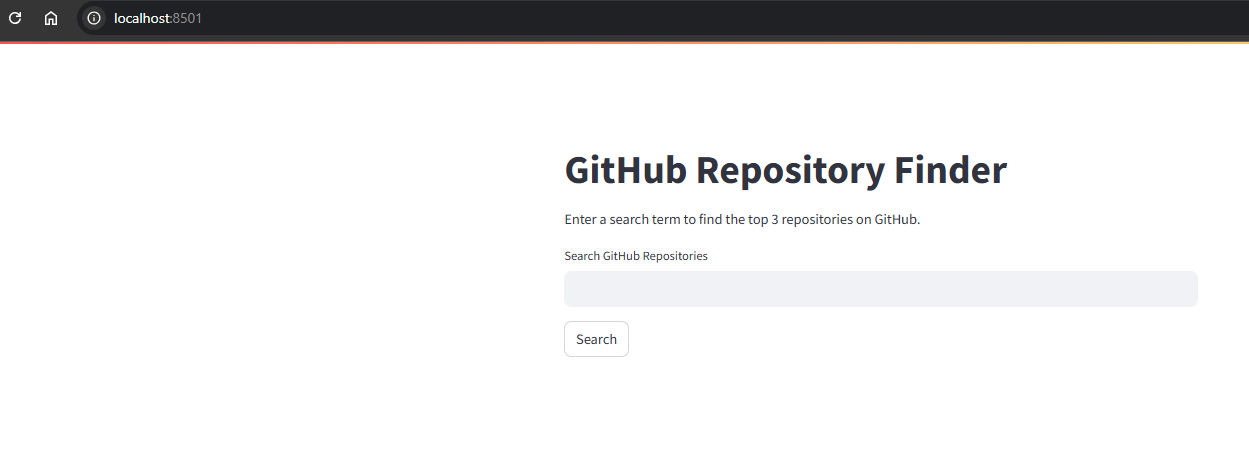
This results in the browser being launched and a window opening up like so -
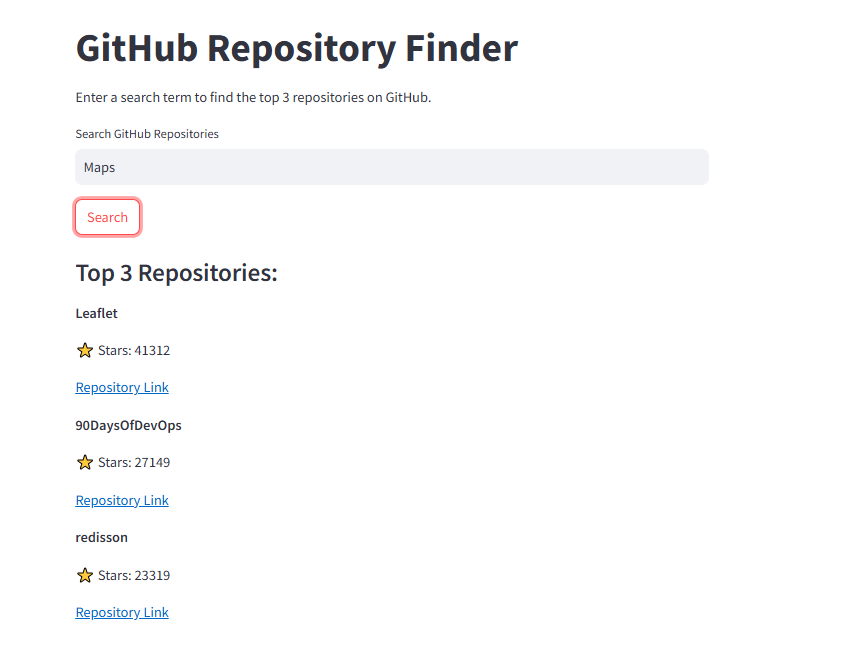
And any search results in the top repos by stars as expected -
Hope this gives you the push to create your own fun little apps! Let me know what you create!